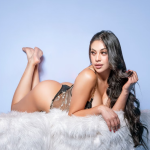
A porn face swap needs two photos. One supplies the body, the pose and the setting, and the other supplies the face. On Razdevai there’s one more choice to make before you hit generate: Only face or Whole head. Most of the time you should leave it on Only face, which is the default. The rest of this piece is about the times you shouldn’t.
What each mode takes from which photo
Only face takes the facial features from the face photo and nothing else. Everything outside the face comes from the body photo, hairline and ears included. The expression and the direction the head is pointing come from the body photo as well. If the woman in the body photo is looking back over her shoulder, the result is looking over her shoulder too, whatever the face photo was doing.
Whole head brings the hair across with the face. The head still sits at the angle of the body photo and keeps its expression, but the haircut and hairline are now the ones from the face photo.
So the two modes agree on almost everything. The difference is the hair.
Why the hair decides it
Hair is part of the body photo in the same way the outfit is. It was shot in the same light as everything else in the frame, and it falls the way that pose makes it fall. Keep it and the result still looks like the picture you started with, only with a different face in it. That’s what most people are after, and it’s why Only face is the default.
Whole head is the better pick in two situations. The first is when the hair in the face photo is part of who she is, like a very short cut or a colour people would recognise her by. Swap only the face and she can look like a stranger wearing her features. The second is when the hair in the body photo is exactly the part you wanted to get rid of.
If the haircut is the whole reason you’re doing the swap, look at the result closely before you use it for anything else.
A quick way to choose
Put the two photos side by side and look at the hair first, before the faces. If you’re happy with the hair in the body photo, or you’d notice if it changed, stay on Only face. If you want the face photo’s hair to come along, switch to Whole head. Both modes cost the same, so when you really can’t decide, run the pair once each way and keep the better one.
Photos that swap well
The mode matters less than the photos you feed it. Each photo should have one person in it. The face photo should be sharp and evenly lit, with the face large in the frame and looking at the camera. Nothing should cover it, so sunglasses or a hand across the eyes will count against you.
The body photo works best when the head is turned roughly the same way as the head in the face photo. A face shot straight on, dropped onto a head in three-quarter profile, leaves the model guessing at the side of the face it never saw. A blurry face photo causes the same problem from a different direction. Guessed features are what make a swap look pasted on, whichever mode you picked.
Cost and limits
Both modes cost 10 credits per swap. New accounts start with 10 free credits, which is enough for one swap, so you can see a result on your own photos before paying anything. Face swap sits alongside the other NSFW AI tools on the site and draws on the same credit balance. If a swap fails outright, the credits go back to your account automatically.
It works on still photos only. Both photos go through an age check before anything is generated, and a photo with anyone who looks under 18 in it is rejected. Uploads are deleted after three days, and finished images sit in your private history for those same three days, so download the ones you want to keep.